Rails Courrier
Rails-specific features for Courrier, the API-powered email delivery gem for Ruby.

Sponsored By Rails Designer
Installation
Add to your Gemfile:
bundle add rails_courrier
Setup
Generate the initializer:
bin/rails generate courrier:install

# Or pass a provider to pre-fill provider-specific config:
bin/rails generate courrier:install --provider=mailpace
This creates config/initializers/courrier.rb.
Generate an email:
bin/rails generate courrier:email Order
This creates app/emails/order_email.rb.
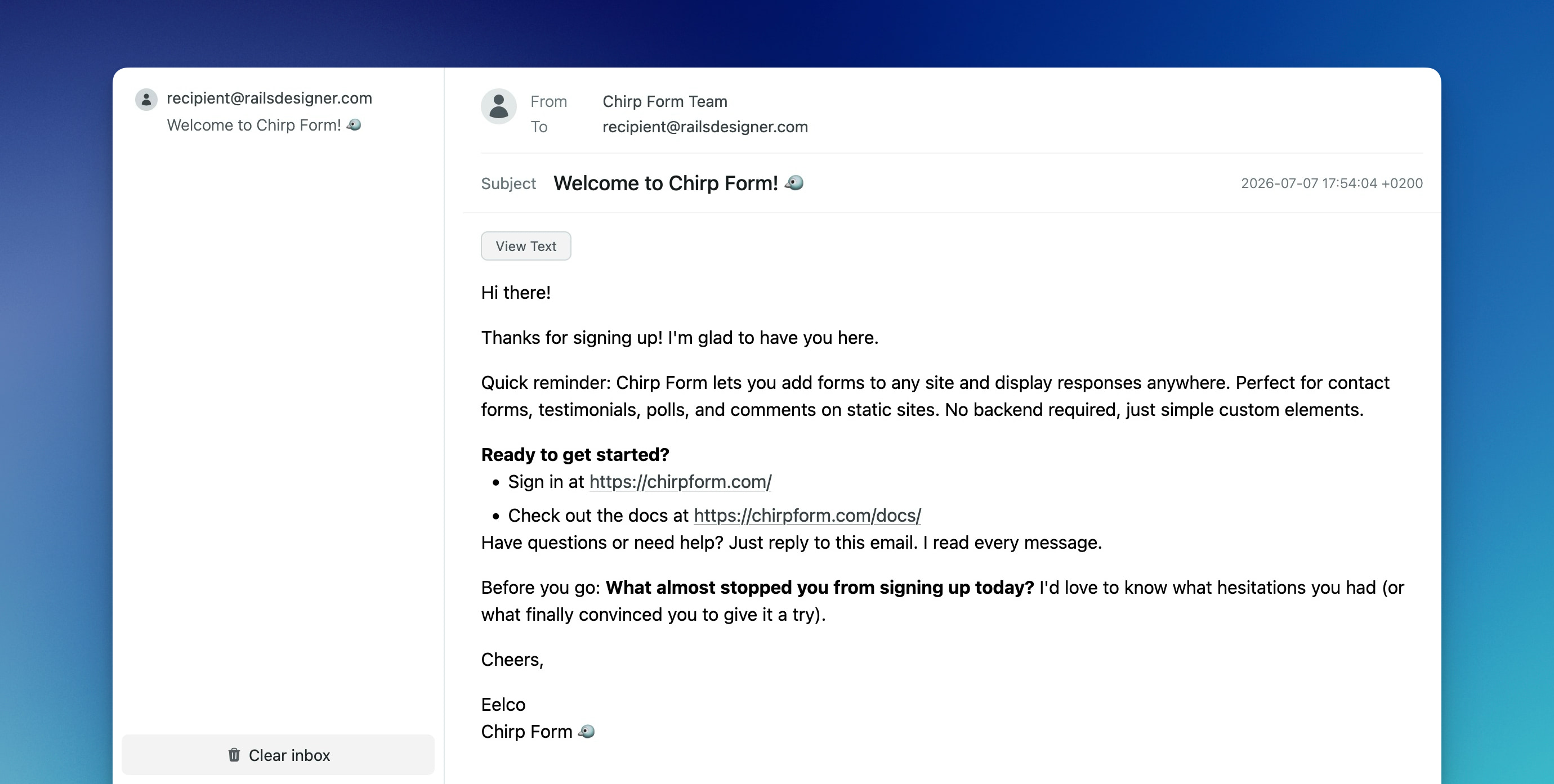
Mount the engine to browse inbox previews in your browser:
# config/routes.rb
mount Courrier::Engine => "/courrier"
Usage
Send emails
OrderEmail.deliver to: "recipient@railsdesigner.com"
Deliver later via ActiveJob
OrderEmail.deliver_later to: "recipient@railsdesigner.com"
Configure queue options in the email class:
class OrderEmail < Courrier::Email
  enqueue queue: "emails", wait: 5.minutes

  def subject = "Your order is ready!"
  # …
end
Inbox provider
Preview emails in your browser:
# config/initializers/courrier.rb
Courrier.configure do |config|
  config.email = { provider: "inbox", auto_open: true }
end
The auto_open option opens each sent email in your default browser automatically.
Clear inbox files:
bin/rails courrier:clear
URL helpers
Rails Courrier automatically includes Rails URL helpers in your email classes:
class OrderEmail < Courrier::Email
  def text
    "View your order: #{order_url(token: "abc123")}"
  end
end
Monitoring
Rails Courrier publishes delivery lifecycle events via ActiveSupport::Notifications:
ActiveSupport::Notifications.subscribe("delivery.courrier") do |event|
  Rails.logger.info "[Courrier] #{event.payload[:email]} delivered in #{event.duration}ms"
end
Available events
| Event | When it fires | Payload |
|---|---|---|
delivery.courrier |
Email delivered successfully | email, options |
delivery_failed.courrier |
Delivery raised an exception | email, options, exception |
I18n
Use the t helper in email classes and ERB templates, scoped under courrier.email.<class_name>:
# config/locales/courrier/en.yml
en:
  courrier:
    email:
      order_email:
        subject: "Your order is ready!"
        text:
          greeting: "Hello %{name}, your order is ready."
class OrderEmail < Courrier::Email
def subject = t(".subject")
def text = t(".text.greeting", name: .to)
end
Full translation keys (e.g. t("shared.greeting")) pass through unscoped.
Documentation
See the Courrier README for full configuration, providers, layouts, templates and more.
Contributing
This project uses Standard for formatting Ruby code. Please make sure to run rake before submitting pull requests.
License
Courrier is released under the MIT License.