moonwalk - a fast and minimalistic blog theme with clean dark mode
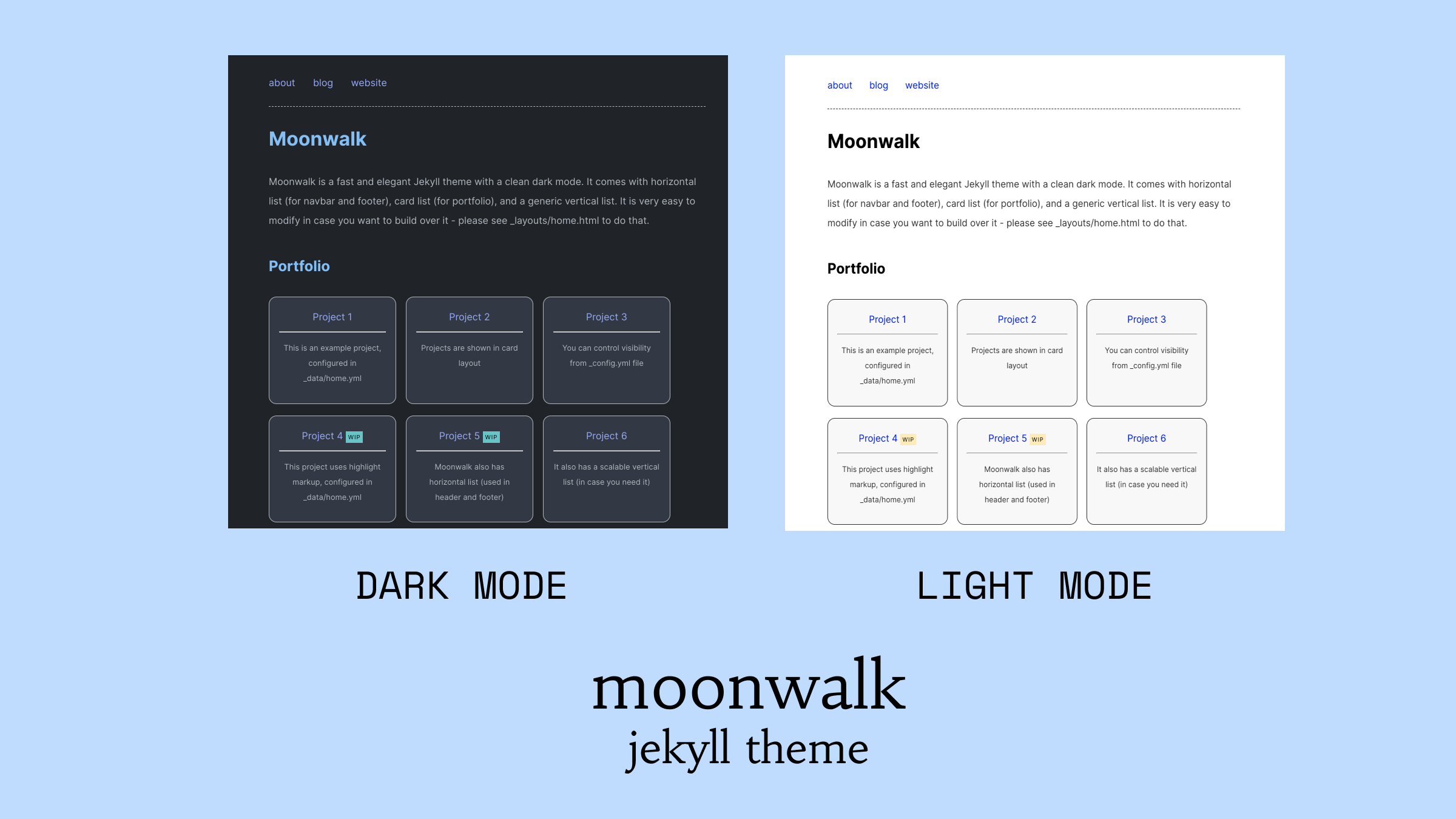
 TRY THE DEMO
Features
- Light & dark mode with theme switcher (respects
prefers-reduced-motion) - Typeset in Geist (body & headings) and Geist Mono (code)
- Agent-friendly out of the box - per-page
.mdsiblings,/llms.txt, and/llms-full.txt - Built-in client-side search over post titles, tags, and excerpts
- Hover-preview cards on internal post links (opt-in)
- Footnote tooltips - read footnotes inline without scrolling (opt-in)
- Smooth page transitions via the View Transitions API in supporting browsers
- Drop-cap on the first paragraph of a post (opt-in via
dropcap: true) - Tag cloud with frequency-weighted sizing on the tag archive
- Personality 404 with random-post link
- Vertical list, horizontal list, card list
- Landing page with navbar, footer, portfolio
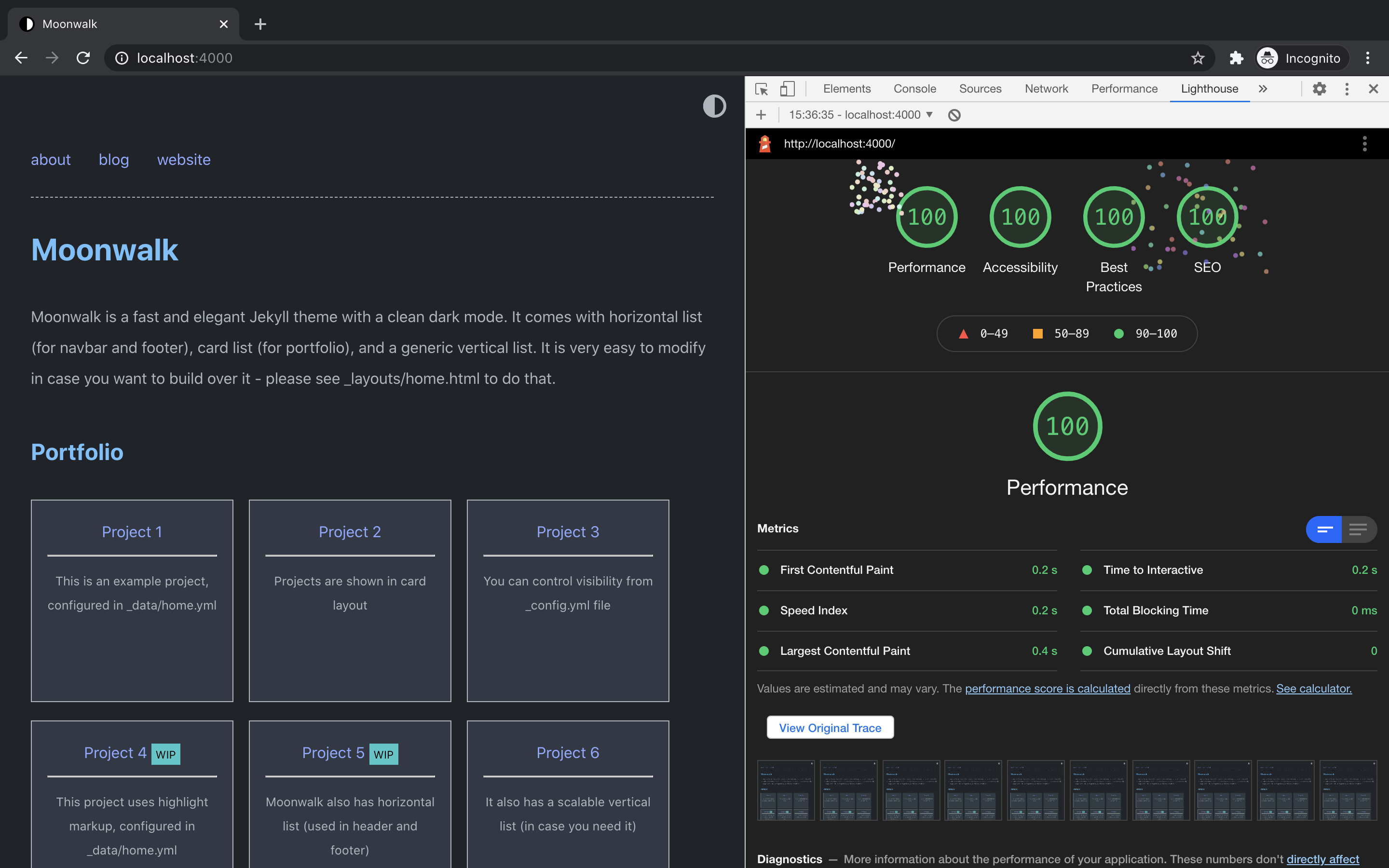
- Fast (very minimal CSS) - 100/100 on performance, accessibility, best practices and SEO, please see Lighthouse Report for more details
- Responsive and mobile friendly
- SEO optimized with auto-generated sitemap
- RSS feed (uses Jekyll Feed)
- GitHub Markdown Alerts (NOTE, TIP, IMPORTANT, WARNING, CAUTION)
- Polished
<details>collapsibles for asides and "long version" expansions - Tag archive page with clickable tags
- Light and dark mode syntax highlighting with language label on each code block
- Accessible - ARIA labels, keyboard friendly
- Reading progress bar (opt-in)
- Back-to-top button (opt-in)
- Previous/next post navigation (opt-in)
- Table of contents via
toc: truefront matter (opt-in) - Code block copy button with language label (opt-in)
- Easy to extend
- Fully compatible with GitHub Pages (see GitHub Pages installation)
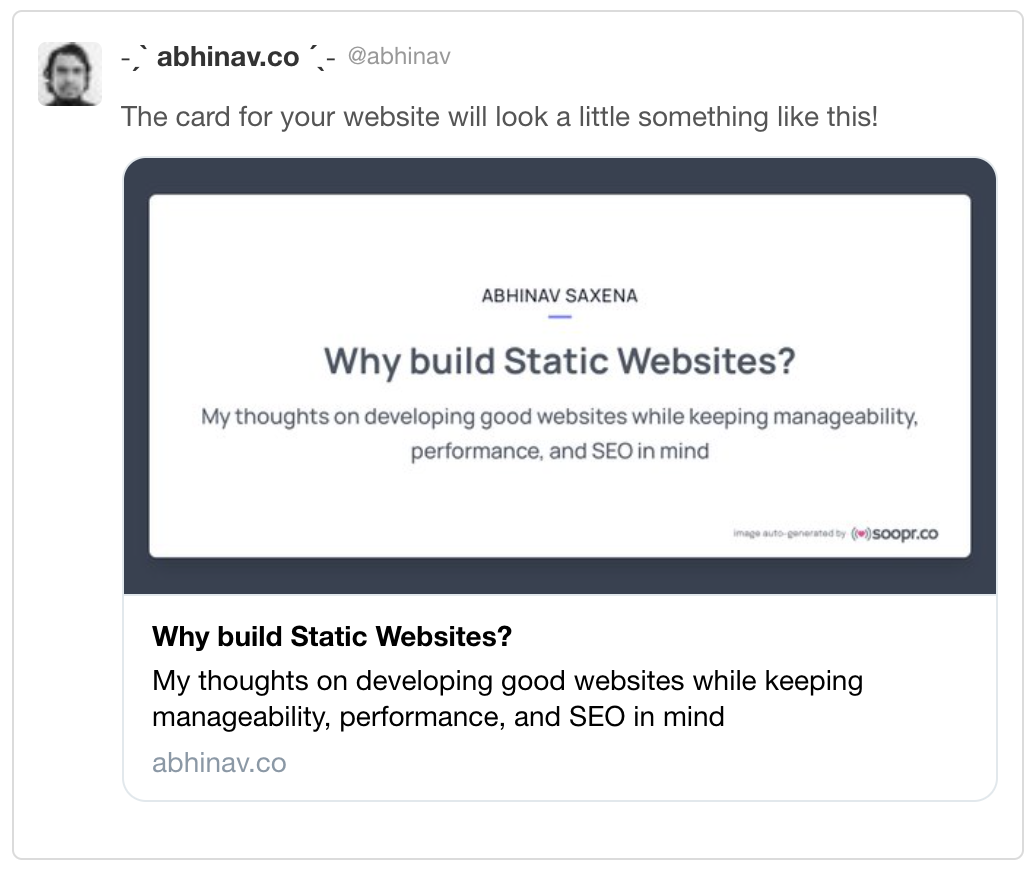
- Auto-generated share images for social media (using Soopr)
- Share & like buttons (using Soopr)
Lighthouse
Quick Installation
- Fork this repository.
cd moonwalkbin/bootstrap- [Optional] Sign up on Soopr, and add your
publish_tokenin_config.ymlfile.
If you are installing Moonwalk on Windows, please note that you might have to use Ruby 3.0.x instead of Ruby 3.1.x - you can see Windows specific installation instructions here
Starting Server
bin/start - development server will start at http://127.0.0.1:4000
Deployment
Moonwalk can be easily deployed on all the cloud providers (AWS etc.), and on static website hosting services like Netlify & Vercel. You can also use this button to do one click deploy

If you want to use Moonwalk as a gem or use Github Pages, please see this page
Customizing
You can edit _config.yml file to customize your blog. You can change things such as the name of the blog, the author, the appearance of the theme (light, dark or auto), how dates are formatted, etc. Customizable fields should be straightforward to understand. Still, _config.yml contains some comments to help you understand what each field does.
For further customization (e.g. layout, CSS) see the official Jekyll's documentation on customizing gem-based themes.
Customize the menu
In order to add/edit/delete entries in the home page, you can copy the home.yml file inside _data folder. Through that file you can define the structure of the menu and add data for navbar, footer, portfolio or simply remove all of that and use simple blog layout. Take a look at the default configuration to get an idea of how it works and read on for a more comprehensive explanation.
The home.yml file accepts the following fields:
- Vertical list
entriesdefine a new unordered list that will contain menu entries- each entry is marked by a
-at the beginning of the line - each entry has the following attributes:
title, which defines the text to render for that menu entryurl, which can either be a URL orfalse. If it isfalse, the entry will be rendered as plain text; otherwise the entry will be rendered as a link pointing to the specified URL. Note that the URL can either be relative or absolute.post_list, which can betrueorfalse. If it is true, the entry will have all posts in the site as subentries. This is used to render your post list.entries, yes, you can have entries inside entries. In this way you can create nested sublists!
- Card list - cards are used to showcase portfolio projects. Please see
project_entriesin_data/home.ymlfile- each entry is marked by a
-at the beginning of the line - each entry has the following attributes:
titledefines the header of the carddescis the body of the cardurlis a relative or absolute link which this card can point to.highlightin case you want to highlight something, keep the text short though
- each entry is marked by a
- Horizontal list - moonwalk uses horizontal lists to create navbar and footer. Please see
navbar_entriesandfooter_entriesindata/home.ymlfile- each entry is marked by a
-at the beginning of the line - each entry has the following attributes:
titledefines the header of the cardurlis a relative or absolute link which this card can point to.
- each entry is marked by a
Pro tips
Moonwalk has 3 in-built layouts:
- post - for content
- blog - for listing blog posts
- home - for landing page
you can change your
index.mdfile to use either home or blog layout.
It is extremely easy to tweak the color scheme.
- for light mode, customize these css variables
css html { --bg: #fcfcfc; --bg-secondary: #f1f2f4; --bg-subtle: #f6f7f8; --headings: #0f172a; --text: #2b2f36; --text-secondary: #5b6470; --links: #4f46e5; --highlight: #ffecb2; // light yellow --code-text: #9d174d; } - for dark mode customize these css variables
css
@mixin dark-appearance {
html, body  {
--headings: #e6edf3;
--links: #91a7ff;
--highlight: #41c7c7;
--bg: #15161d;
--bg-secondary: #23242f;
--bg-subtle: #1c1d26;
--text: #c4ccd6;
--text-secondary: #8b94a3;
--code-text: #91a7ff;
};
}
- for light mode, customize these css variables
Want different fonts? Moonwalk uses Geist / Geist Mono via two CSS variables. Override them in your own SCSS:
:root {
--font-sans: "Inter", system-ui, sans-serif;
--font-mono: "JetBrains Mono", monospace;
}
Don't forget to update the
<link>to Google Fonts in_includes/head.htmlto match.
Optional features
Each of these is wired up in _config.yml under theme_config:
show_footnote_tooltips: true- when readers hover a kramdown footnote ref ([^1]), the footnote text appears in a small tooltip instead of forcing a scroll to the bottom.show_link_previews: true- hover any internal post link to see a preview card with title, excerpt, and date. Powered by an auto-generated/search.jsonindex.
To add client-side search anywhere on your site, drop {% raw %}{% include search.html %}{% endraw %} into a layout or page. It searches over titles, tags, and excerpts using the same /search.json.
To enable a drop-cap on a post's opening paragraph, add dropcap: true to the post's front matter.
To use the <details> collapsible style, just write native HTML in your Markdown:
<details>
  <summary>Long version</summary>
  Hidden by default, expanded on click.
</details>
Agent-friendly by default
LLM crawlers and coding agents read your site too. Moonwalk ships with two small Jekyll plugins so they can fetch clean Markdown instead of parsing HTML:
- jekyll-markdown-output - emits a
.mdsibling for every post. A page rendered at/fooalso exists as/foo.mdwith a small frontmatter block and the source Markdown. No layouts, no nav chrome, no theme toggles - just the content. - jekyll-llms-output - generates
/llms.txt(a curated index) and/llms-full.txt(full content concatenated) following the llmstxt.org spec, so agents can discover and ingest your site in one fetch.
Both are wired up in _config.yml with sensible defaults:
plugins:
  - jekyll-markdown-output
  - jekyll-llms-output

markdown_output:
  collections: [posts]

llms_output:
  index:
    collections: [posts]
  full:
    collections: [posts]
    respect_markdown_output: true
Set enabled: false on either block to turn it off. For curated llms.txt content, drop a _data/llms.yml file with title, description, and sections - the plugin will use it instead of auto-generating. See each plugin's README for full configuration.
[!NOTE] GitHub Pages restricts plugins to a whitelist, and these two are not on it. If you host on GH Pages, build the site yourself in CI (Actions, Netlify, Cloudflare Pages, Vercel) or remove the plugins.
GitHub Markdown Alerts
Moonwalk supports GitHub-style Markdown Alerts. Use them in your posts like this:
> [!NOTE]
> Useful information that users should know, even when skimming content.

> [!TIP]
> Helpful advice for doing things better or more easily.

> [!IMPORTANT]
> Key information users need to know to achieve their goal.

> [!WARNING]
> Urgent info that needs immediate user attention to avoid problems.

> [!CAUTION]
> Advises about risks or negative outcomes of certain actions.
All five alert types are styled with color-coded left borders and icons, and work in both light and dark mode.
Contributing
Please see CONTRIBUTING.md for development setup and guidelines.
Development
- Run
bin/bootstrap(ormake setup) to install dependencies - Run
bin/start(ormake serve) to start the dev server with live reload athttp://127.0.0.1:4000 - Run
bin/build(ormake build) for a production build
When your theme is released, only the files in _layouts, _includes, _sass, _data, and assets tracked with Git will be bundled.
To add a custom directory to your theme-gem, please edit the regexp in moonwalk.gemspec accordingly.
Acknowledgement
This theme's original base is no style please! theme created by Riccardo Graziosi - many thanks to him for creating a wonderful theme with nearly no css.
License
The theme is available as open source under the terms of the MIT License.
Other Projects
If you like Moonwalk, do check out my other projects
- cookie - a free landing website boilerplate using Jekyll and Tailwind CSS
- scoop - a Sinatra boilerplate project using Corneal, ActiveRecord, Capistrano, Puma & Nginx
- soopr - a tool that supports you in content marketing
- apicagent - a FREE API that extracts device details from user-agent string
- pincodr - a FREE API for Indian pincodes
- humangous - create public and private 'working with you' guides
- blockr - a CLI tool to help you easily block and unblock websites
- microrequests - a Python library to help you consume microservice efficiently
You can read more about me on my blog or follow me on Twitter - @abhinav
If you like my work, you can buy me a coffee