MissionControl::Jobs::Theme



A drop-in visual theme for MissionControl::Jobs — malachite color palette with light/dark mode, refined typography, and JSON syntax highlighting. No view overrides, no asset pipeline dependency — just Rack middleware that injects stylesheets into HTML responses.
Screenshots
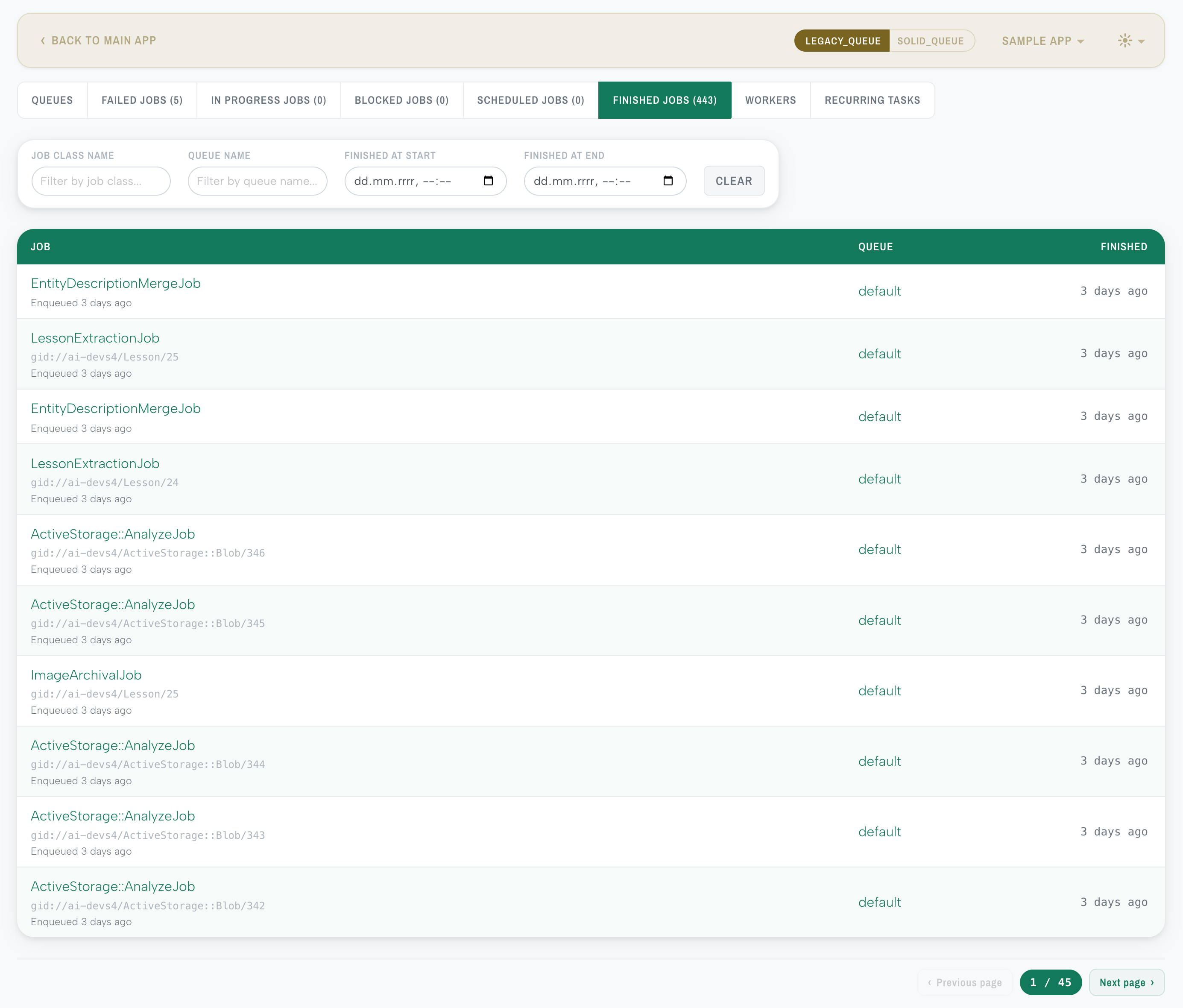
Light mode
Jobs list
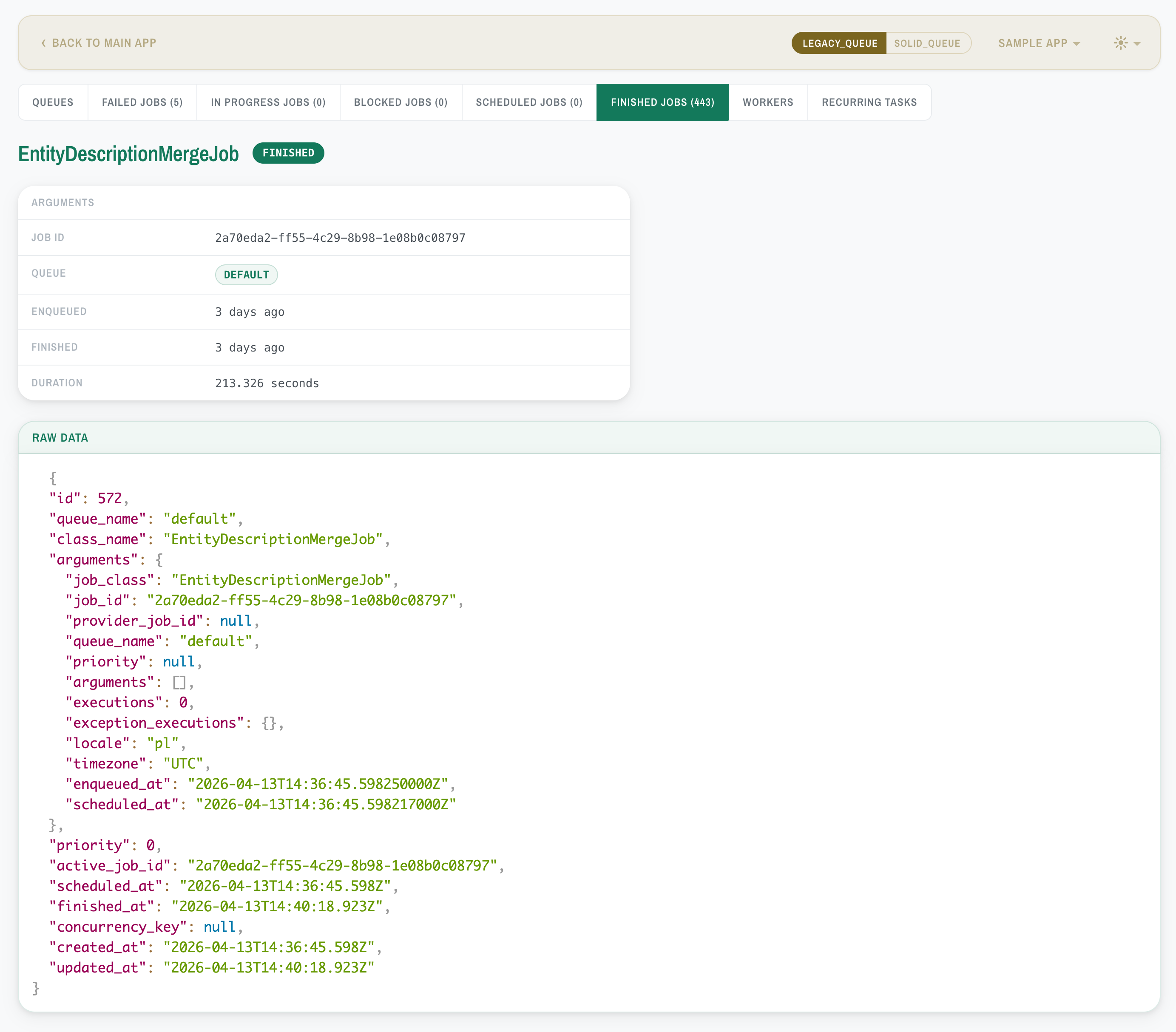
Job details
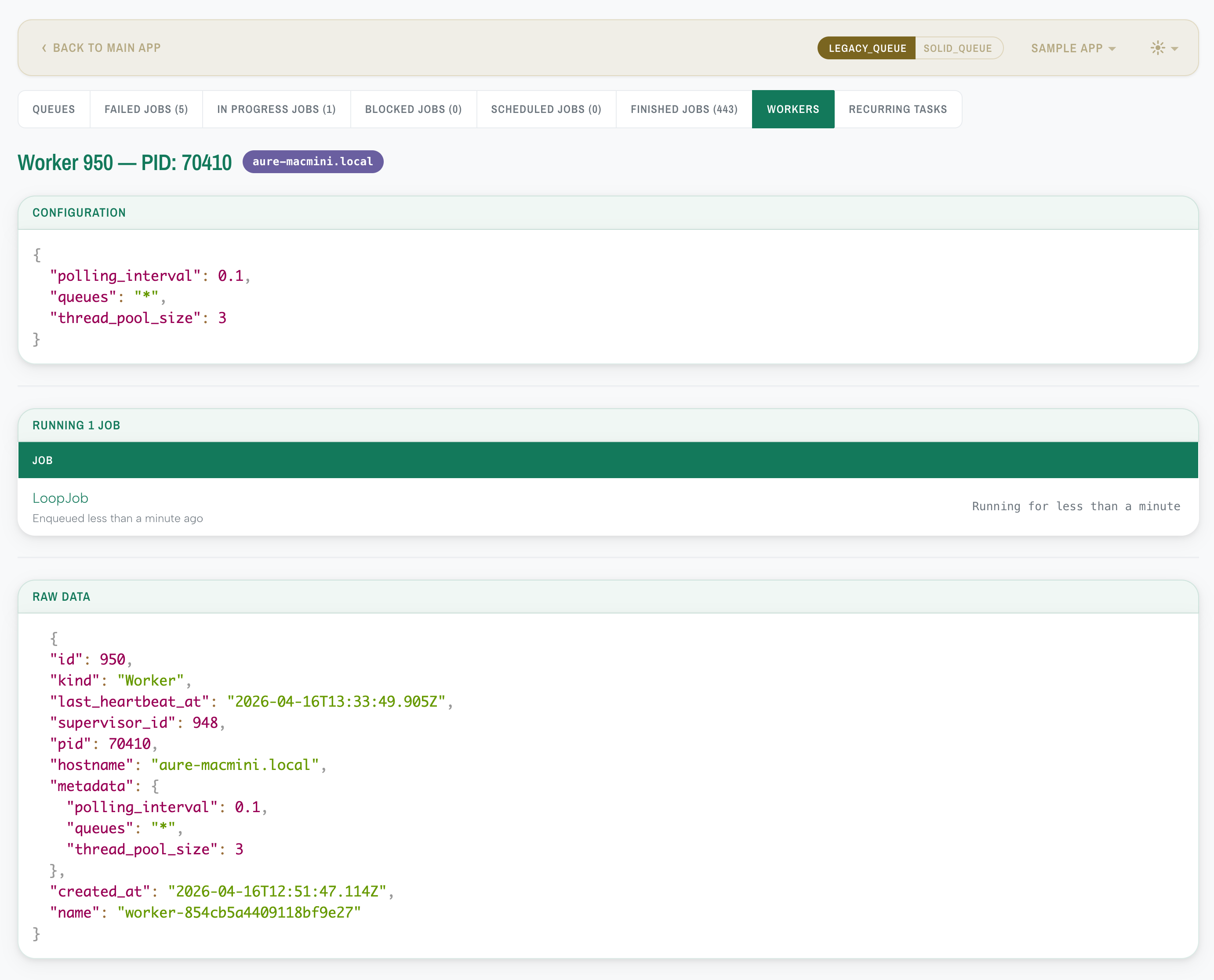
Worker overview
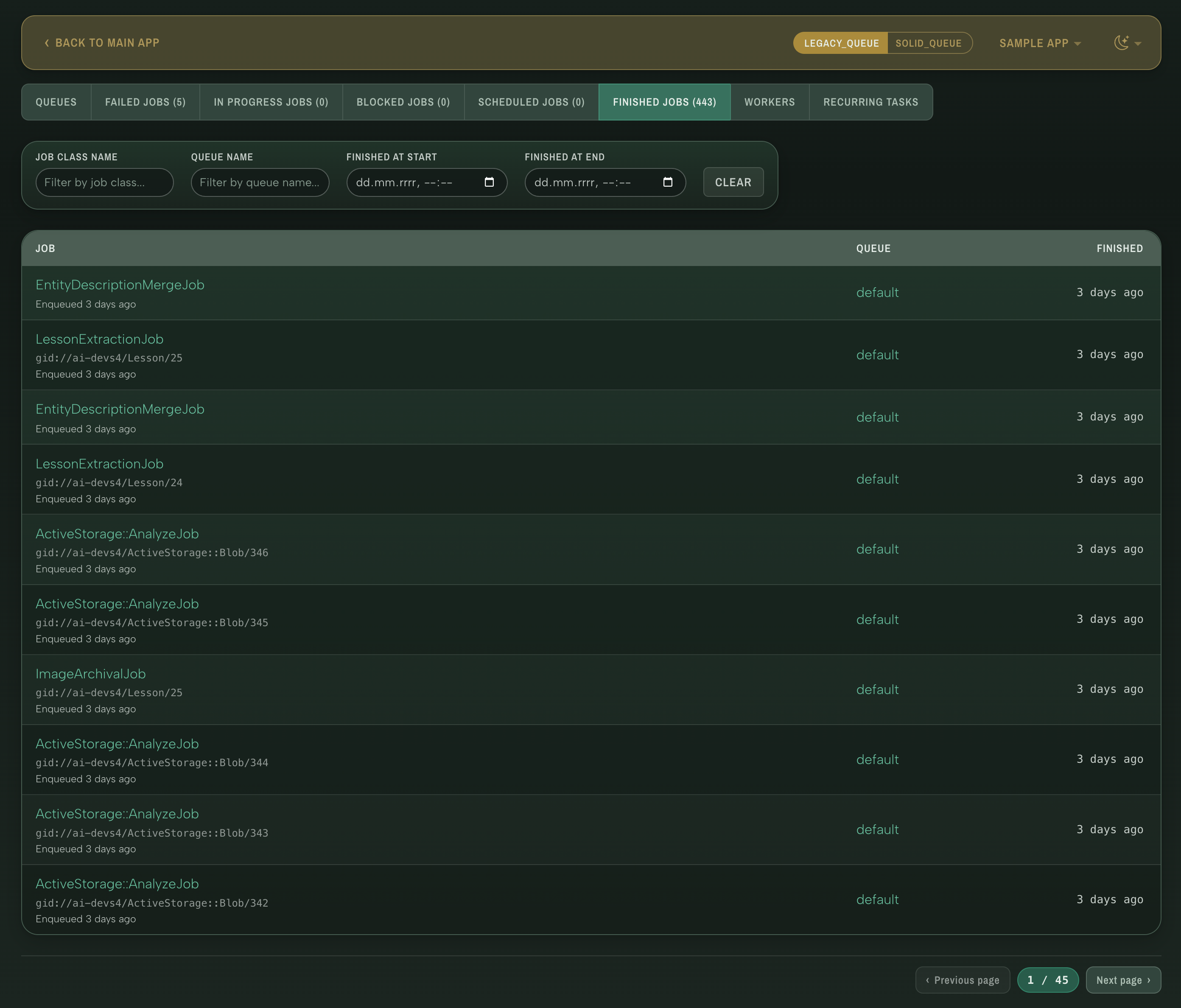
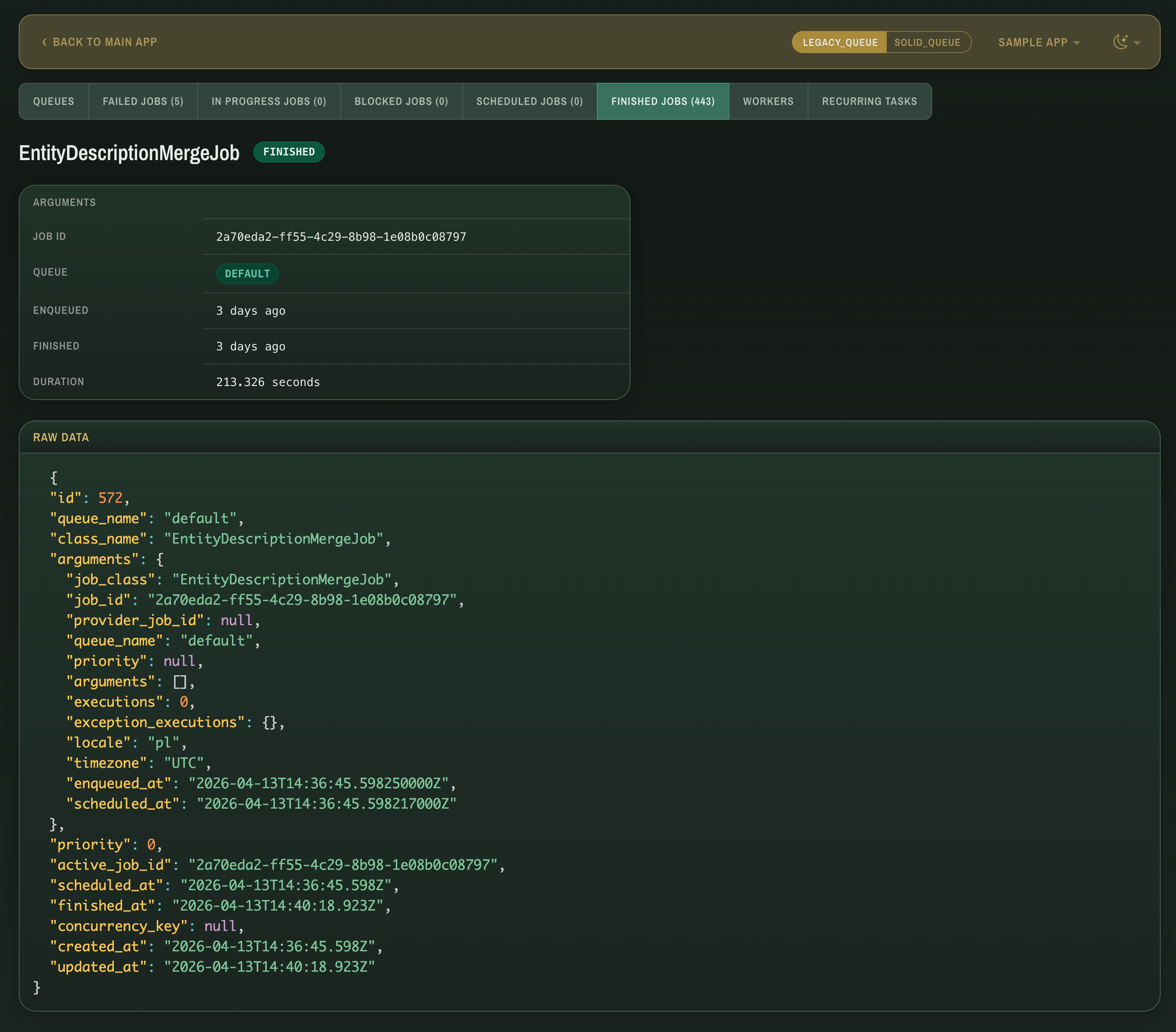
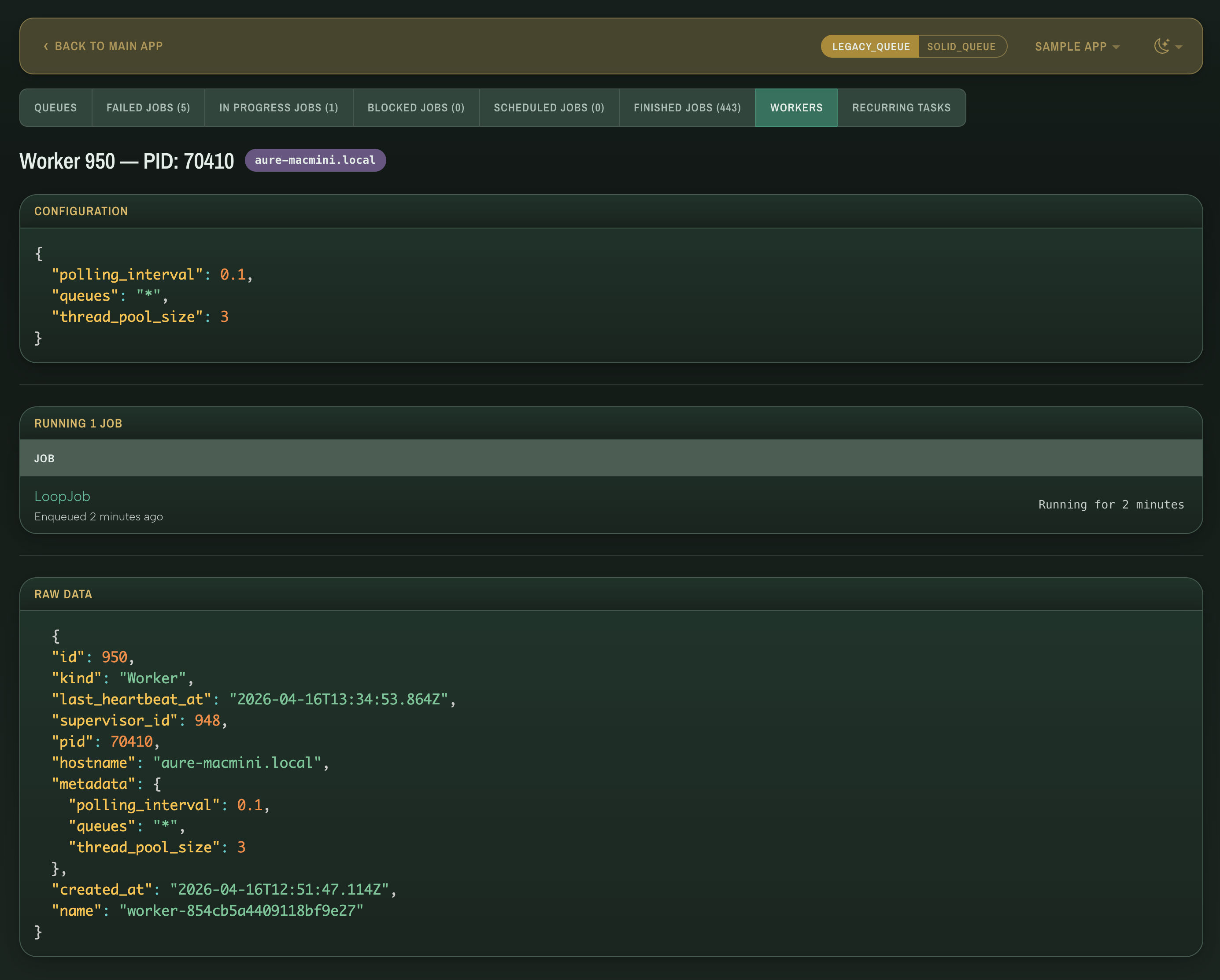
Dark mode
Jobs list
Job details
Worker overview
Requirements
- Ruby >= 3.2
- Rails >= 7.1
- mission_control-jobs >= 1.1
Installation
Add to your Gemfile:
gem "mission_control-jobs-theme"
Then run:
bundle install
The theme is active immediately — no configuration required.
How it works
The gem inserts Rack middleware that intercepts HTML responses from the MissionControl::Jobs engine and injects theme stylesheets, a color scheme switcher, and optional PrismJS syntax highlighting before </head>. Assets are served via Rack::Static independently of the host app's asset pipeline — no Propshaft or Sprockets integration required. The CSS overrides Bulma variables and component styles, so the theme stays functional even if upstream markup changes.
Configuration
To customize the defaults, generate an initializer:
bin/rails generate mission_control:jobs:theme:install
This creates config/initializers/mission_control_jobs_theme.rb:
MissionControl::Jobs::Theme.configure do |config|
  # Light/dark appearance — :auto follows the OS preference, :light/:dark forces one.
  # config.color_scheme = :auto

  # Show the light/dark/auto toggle in the navbar (set false to lock the scheme).
  # config.color_scheme_switcher = true

  # Override the auto-discovered MissionControl::Jobs::Engine mount path.
  # config.mount_path = "/jobs"

  # Inject PrismJS for syntax-highlighted JSON on job detail pages.
  # config.syntax_highlighting = true

  # Visual theme family — available: malachite.
  # config.theme = :malachite
end
| Option | Default | Description |
|---|---|---|
color_scheme |
:auto |
Light/dark appearance. :auto follows the OS preference via prefers-color-scheme; :light or :dark forces one. |
color_scheme_switcher |
true |
Show a light/dark/auto toggle in the navbar. When false, the scheme is locked to the configured default. |
mount_path |
nil (auto-discovered) |
Override the path where MissionControl::Jobs::Engine is mounted. When nil, the gem walks Rails.application.routes to find it automatically, falling back to /jobs. |
syntax_highlighting |
true |
Enable PrismJS JSON syntax highlighting on job detail pages. Set to false to inject only the CSS theme. |
theme |
:malachite |
Visual theme family. Each family provides both light and dark variants. |
Compatibility
- Designed for MissionControl::Jobs 1.1+ which uses Bulma for its UI. The theme overrides Bulma variables and component styles.
- Works with Propshaft and Sprockets — the gem serves its own assets via
Rack::Staticand does not depend on the host app's asset pipeline. - Turbo Drive and Turbo Stream responses pass through without modification.
- Tested with Solid Queue. Resque should mostly work since the theme is CSS-only, but some adapter-specific views may not be fully styled yet.
Troubleshooting
Theme not appearing
- Verify the middleware is loaded — check that
MissionControl::Jobs::Theme::Middlewareappears inbin/rails middlewareoutput. - Check mount path detection in the console:
ruby
MissionControl::Jobs::Theme::RouteDiscovery.discover(Rails.application.routes)
If it returns an unexpected path, setconfig.mount_pathexplicitly in the initializer. - Ensure the engine is mounted in
config/routes.rb:ruby mount MissionControl::Jobs::Engine, at: "/jobs"
Apps served under a sub-URI
If your Rails app is deployed under a prefix such as /internal, the /mission_control/... asset URLs injected by the middleware will not include the prefix. Sub-URI support is not yet available.
Stale assets after upgrade
Theme assets are served with immutable cache headers (1-year max-age). After upgrading the gem, browsers may serve stale files. Hard-refresh (Ctrl+Shift+R) or clear the browser cache.
Contributing
Contributions of any kind are appreciated — whether it's a bug report, feature idea, or pull request. Feel free to open an issue or submit a PR.
bin/setup                 # Install dependencies
bundle exec rspec         # Run the test suite
bundle exec rubocop       # Run the linter
bin/console               # Interactive prompt
License
The gem is available as open source under the terms of the MIT License.
This gem bundles the following third-party assets:
- Albert Sans — SIL Open Font License 1.1 (
vendor/assets/mission_control/fonts/Albert_Sans/OFL.txt) - Archivo Narrow — SIL Open Font License 1.1 (
vendor/assets/mission_control/fonts/Archivo_Narrow/OFL.txt) - PrismJS — MIT License